
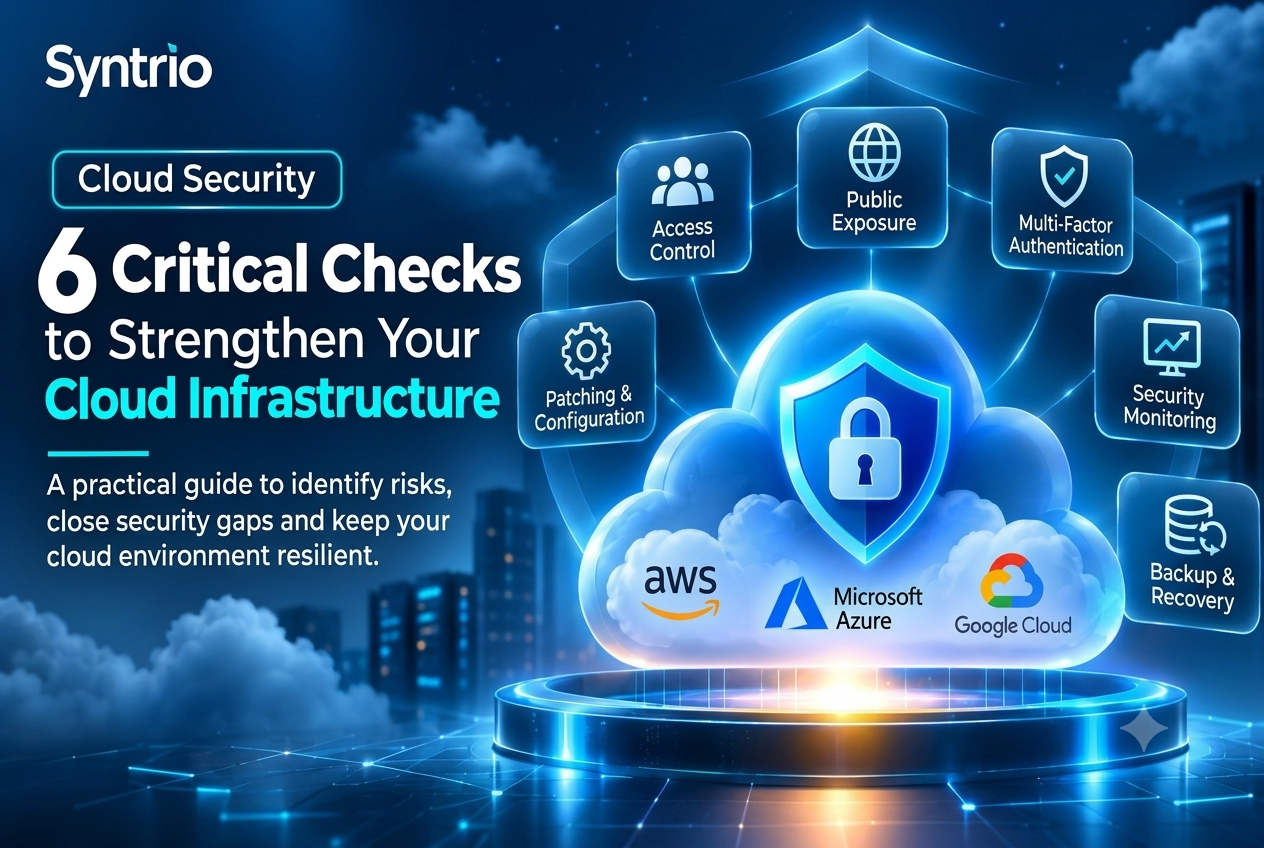
Your cloud infrastructure might be running without a glitch. Applications are accessible, workloads are performing, and business operations are moving as expected. But does that necessarily mean your cloud environment is secure?
A forgotten user account, an overly permissive firewall rule, an exposed storage bucket or an untested backup can create security gaps that often go unnoticed until something goes wrong.
The challenge with cloud security isn’t always a lack of security tools. It’s the small configuration mistakes, outdated permissions and overlooked controls that accumulate over time.
Whether you’re running workloads on AWS, Microsoft Azure or a hybrid cloud environment, security requires more than the initial setup. It requires regular reviews, proactive monitoring and continuous configuration checks.
So, before another week passes, here are six cloud security checks worth putting on your IT team’s priority list.
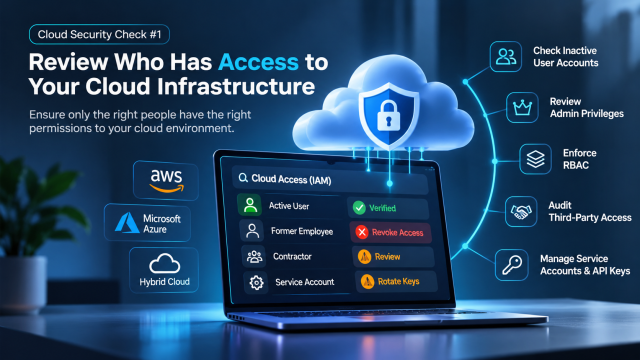
1. Review Who Has Access to Your Cloud Infrastructure
One of the most overlooked cloud security risks is excessive user access. Over time, employees change roles, contractors complete projects, and third-party vendors move on. However, their access permissions don’t always get revoked.
A former employee’s active account or an unused administrator credential can become an easy entry point for unauthorised access.
What should your IT team check?
1.) Inactive User Accounts: Identify and disable accounts that haven’t been used for an extended period.
2.) Administrator Privileges: Review who has administrative access across AWS, Azure or other cloud platforms. Limit privileged access to authorised personnel.
3.) Role-Based Access Control (RBAC): Ensure employees have permissions based on their actual job responsibilities, rather than broad access to infrastructure resources.
4.) Third-Party Access: Review permissions granted to external developers, contractors, vendors and service providers.
5.) Service Accounts & API Keys: Identify unused credentials, rotate active keys periodically and remove unnecessary access.
Red Flag: If multiple employees share administrator credentials or former employees still have active cloud access, your access management process needs immediate attention.
What to do this week: Conduct an IAM (Identity and Access Management) review. Remove unnecessary permissions, disable dormant accounts and enforce the principle of least privilege.
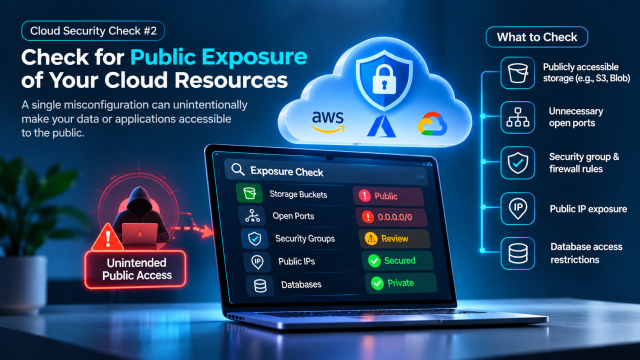
2. Check Whether Your Cloud Resources Are Publicly Exposed
A single misconfigured storage bucket, firewall rule or database can expose sensitive business information to the internet without your IT team immediately noticing.
Consider this scenario: Your development team creates a cloud storage bucket to share application files during testing. The project goes live, but the bucket’s public access permissions are never reviewed. What was intended as temporary access could become an unintended entry point for external users.
These configuration gaps are particularly important in AWS, Microsoft Azure and Google Cloud environments, where multiple services, workloads and access policies need to be managed continuously.
What should your IT team check?
1.) Public Storage Buckets: Review Amazon S3 buckets and Azure Blob Storage containers to ensure sensitive data isn’t publicly accessible.
2.) Open Network Ports: Identify unnecessary open ports, particularly database, SSH and remote access ports exposed to the internet.
3.) Security Groups & Firewall Rules: Review inbound and outbound traffic rules. Restrict access to trusted IP addresses wherever possible.
4.) Public IP Addresses: Identify workloads and virtual machines with public IP addresses that don’t genuinely require internet exposure.
5.) Database Access: Ensure production databases are not directly accessible from public networks and are protected through appropriate network restrictions.
Red Flag: If your production database, storage resources or administrative interfaces are accessible from unrestricted public IP ranges (such as 0.0.0.0/0), investigate immediately.
What to do this week: Run a cloud configuration review across your AWS, Azure or GCP environment. Identify publicly exposed resources, remove unnecessary access rules and enable continuous monitoring for configuration changes.
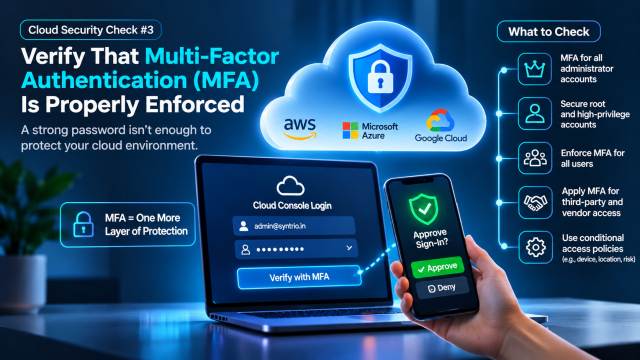
3. Verify That Multi-Factor Authentication (MFA) Is Properly Enforced
A compromised password shouldn’t be enough to give someone access to your cloud infrastructure.
Imagine an employee unknowingly enters their cloud login credentials on a phishing website. If the account relies only on a username and password, an attacker may be able to access business applications, sensitive data or even critical infrastructure.
This is where Multi-Factor Authentication (MFA) becomes essential. It adds another layer of identity verification, making unauthorised access significantly more difficult even when login credentials are compromised.
However, simply enabling MFA for a few administrator accounts isn’t enough. Your organisation needs to review where MFA is enforced and whether privileged accounts have stronger authentication controls.
What should your IT team check?
1.) Administrator Accounts: Enforce MFA across all privileged accounts, including cloud administrators and infrastructure management users.
2.) Root Account Protection: Secure AWS root users and equivalent high-privilege cloud identities with strong MFA.
3.) Regular User Accounts: Verify that MFA is enforced for employees accessing business-critical cloud applications and resources.
4.) Third-Party Authentication: Review MFA requirements for contractors, vendors and external service providers.
5.) Conditional Access Policies: Use identity-based access policies to apply additional authentication requirements based on device, location and risk wherever supported.
Red Flag: If an administrator can access your cloud management console using only a username and password, your organisation has an avoidable authentication risk.
What to do this week: Audit MFA coverage across your cloud identities. Enforce phishing-resistant MFA, such as FIDO2 security keys or passkeys, for privileged users wherever supported, and remove legacy authentication methods that bypass MFA.
4. Check Whether Your Cloud Environment Can Detect Suspicious Activity
Your cloud infrastructure may be protected by firewalls, access controls and authentication policies. But what happens when someone manages to get past them?
An unauthorised login, an unusual data download or an unexpected change in administrator privileges may indicate a security incident. If nobody is monitoring these activities, suspicious behaviour can continue without your IT team knowing about it.
This is where cloud monitoring, audit logging and threat detection become critical. Your organisation should not only record what happens across its infrastructure but also identify unusual activities and generate alerts that require investigation.
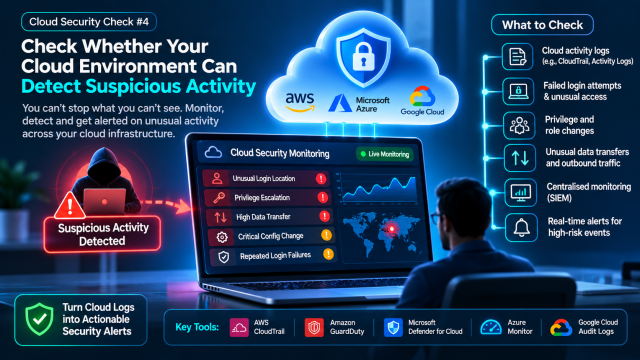
What should your IT team check?
1.) Cloud Activity Logs: Ensure cloud platforms record user logins, API calls, resource changes and administrative activities. Check AWS CloudTrail, Azure Activity Logs and Google Cloud Audit Logs.
2.) Failed Login Attempts: Monitor repeated authentication failures, unusual login locations and suspicious access patterns.
3.) Privilege Escalation Alerts: Identify unexpected changes in user roles, administrator permissions and access policies.
4.) Unusual Data Transfers: Monitor unexpected spikes in data downloads, outbound traffic and transfers to unfamiliar destinations.
5.) Centralised Security Monitoring: Ensure logs from different cloud services are consolidated into a central monitoring platform or SIEM solution for correlation and investigation.
6.) Real-Time Security Alerts: Configure alerts for critical events such as unauthorised access, disabled security controls and suspicious configuration changes.
Red Flag: If your organisation has cloud activity logs enabled but nobody reviews them or receives alerts for critical security events, you may be missing important indicators of compromise.
What to do this week: Review your cloud logging and alerting configuration. Verify that critical events are being captured, configure alerts for high-risk activities and ensure someone is responsible for investigating security notifications.
5. Test Whether Your Cloud Backups Can Actually Be Restored
Having backups doesn’t necessarily mean your business can recover from a cyberattack, accidental deletion or infrastructure failure.
Consider this scenario: Your production database is hit by ransomware. Your IT team confirms that backups exist, but when they attempt to restore the environment, they discover that the latest backup is corrupted, incomplete or inaccessible.
The result? What should have been a controlled recovery process turns into extended downtime, potential data loss and business disruption.
Cloud backup strategies need to go beyond scheduling automated copies of data. Organisations must ensure backups are protected, regularly tested and capable of meeting business recovery requirements.
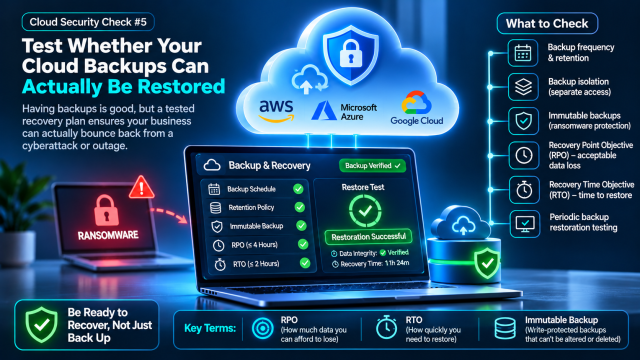
What should your IT team check?
1.) Backup Frequency & Retention: Verify that critical applications, databases and workloads are backed up at appropriate intervals and retained according to business requirements.
2.) Backup Isolation: Ensure backup environments are protected through separate access controls and, where appropriate, separate accounts or subscriptions to prevent attackers from compromising production and backup environments together.
3.) Immutable Backups: Check whether your cloud backup solution supports immutable or write-protected backups to protect recovery points from ransomware and unauthorised deletion.
4.) Recovery Point Objective (RPO): Determine how much data your business can afford to lose, measured in time, and verify that backup frequency supports this requirement.
5.) Recovery Time Objective (RTO): Establish how quickly critical systems must be restored following an outage or security incident.
6.) Backup Restoration Testing: Perform periodic recovery tests to confirm that databases, applications and complete workloads can actually be restored.
Red Flag: If your organisation has never performed a backup restoration test, you don’t have verified evidence that your recovery strategy will work when needed.
What to do this week: Select one critical application or database and perform a controlled restoration test. Verify data integrity, recovery time and whether the restored environment meets your business requirements.
6. Check Whether Your Cloud Infrastructure Is Updated and Properly Configured
Your cloud infrastructure may have been secure when it was first deployed. But applications evolve, software versions change, new vulnerabilities emerge and configuration settings get modified over time.
Consider this: A virtual machine is running an outdated operating system with a known security vulnerability. Your cloud firewall is configured correctly, but an unpatched application still provides an attacker with a potential entry point.
This is why cloud security cannot stop at deployment. Organisations need continuous vulnerability assessment, patch management and configuration reviews to identify weaknesses before they become security incidents.
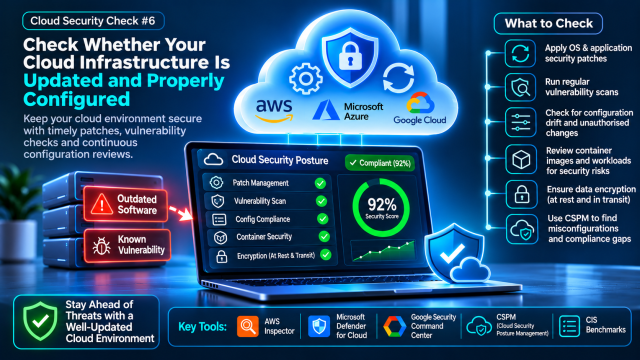
What should your IT team check?
1.) Operating System & Application Patching: Identify outdated operating systems, applications and software packages. Ensure critical security patches are applied within defined timelines.
2.) Vulnerability Scanning: Run regular vulnerability assessments across virtual machines, containers, databases and other cloud workloads. Prioritise vulnerabilities based on severity and actual exposure.
3.) Configuration Drift: Check whether infrastructure configurations have changed from approved security baselines. Identify unauthorised changes to network settings, permissions and security policies.
4.) Container & Workload Security: Review container images, dependencies and runtime configurations for known vulnerabilities and unnecessary privileges.
5.) Encryption Standards: Verify that sensitive data is encrypted both at rest and in transit using appropriate encryption protocols and key management controls.
6.) Cloud Security Posture: Use Cloud Security Posture Management (CSPM) tools to continuously identify misconfigurations, compliance gaps and security policy violations.
Red Flag: If your organisation doesn’t have a defined patch management process or cannot identify which cloud workloads are running outdated and vulnerable software, your infrastructure may have security gaps that remain undetected.
What to do this week: Run a vulnerability scan across your critical cloud workloads. Review high-severity findings, prioritise exposed systems, apply available security patches and verify that infrastructure configurations comply with your organisation’s security baseline.
Is Your Cloud Infrastructure as Secure as You Think?
Cloud security is not determined by a few configurations or security tools. It depends on how well different layers of your infrastructure work together, from identity and network access to workload protection, encryption, monitoring and disaster recovery.
As businesses expand their cloud operations, infrastructure becomes increasingly interconnected. New applications, integrations, access requirements and configuration changes can introduce risks that are not always visible during routine IT operations.
What appears to be a well-protected cloud environment may still have gaps that require a closer technical review. Identifying these gaps requires continuous monitoring, periodic security assessments and an understanding of how your infrastructure operates as a whole.
The real question is: Do you have complete visibility into what’s happening across your cloud environment, and are the right security controls in place?
At Syntrio, we work with organisations to manage, monitor and strengthen their cloud infrastructure through cloud management, security assessments, proactive infrastructure monitoring and 24x7x365 support.
Whether you are operating on AWS, Microsoft Azure or a hybrid cloud environment, having the right expertise and ongoing oversight can make a meaningful difference to your security posture.
Explore Syntrio Cloud Management Services to understand how your cloud infrastructure can be better managed, monitored and secured.